


Sort out contact, a small grocery shop and a real return trip before committing to more expensive services.
Preparing for Australia · In-depth article
Will an overseas phone make calls on an Australian network?
Check the exact model with the provider. Network data, emergency calling and eSIM support need separate confirmation.

Look for the exact model number in Settings or on the box. A handset with the same name can have a different version overseas. Tell your Australian provider which one you have and where you’ll use it.[S1][S2][S4]
Voice over LTE and Australian emergency calls
Ask which bands work and whether the phone can make both ordinary VoLTE calls and Australian emergency calls. Some imported phones still use data but can’t make the required emergency calls. Those handsets may be blocked since the 3G shutdown, even if the screen shows 4G.[S1][S2][S4]
SIM, eSIM and carrier locks
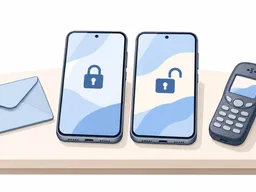
Ask whether the phone is locked to your overseas carrier and whether your plan needs a physical SIM. If you want eSIM, check that exact handset and plan. Telstra publishes a list you can start with if you’ll use Telstra.[S2][S3]
If the provider can’t activate your phone
If it won’t activate, give the provider your model number, software version and any warning you received. Ask if an update will fix it or if you need another phone. Once connected, try calling a friend. Never dial emergency services to test a phone.[S1][S4]
Related articles
Work out how each account signs you in, delivers alerts and verifies a new device before giving up the old number.

Get the landlord’s permission, arrange access and agree where the boxes and cable can go. Confirm activation with your provider before dealing with your old service.

用正确门牌和地图定位核对地址,再按新建、地块分割或同地址第二住宅分别找对方处理。
Comments
Share a related experience or ask about the article
No comments yet. Ask a question about the article.
Sign in to discussKeep the discussion about the content. Do not post private information or advertisements.